
Your renovation, from gutted to finished, in one clip
capture, re-capture, watch
A renovation is the one project where you will wish you had photographed the start. Recaptr makes the middle worth it too: stand in the same spot each time, line the shot up with the last one, and the whole job plays back from bare walls to the finished room in a few seconds.
Day 1 to day 54, same doorway
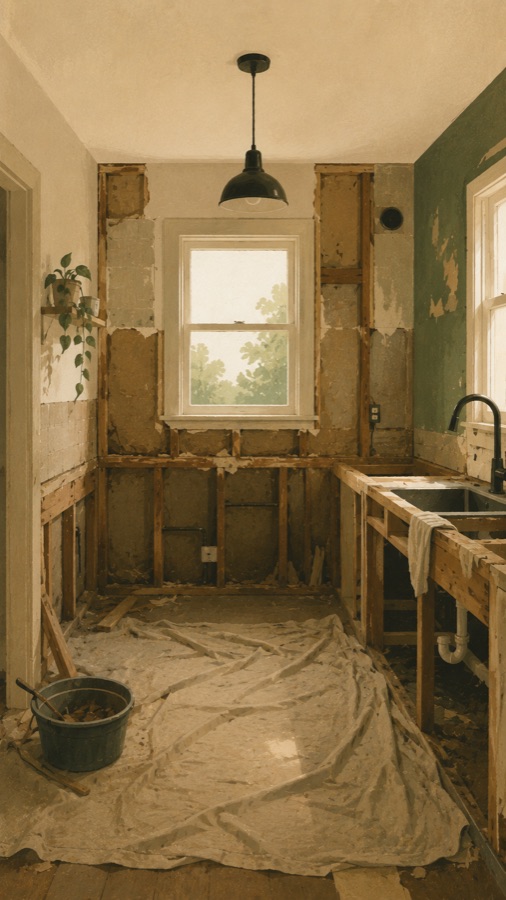
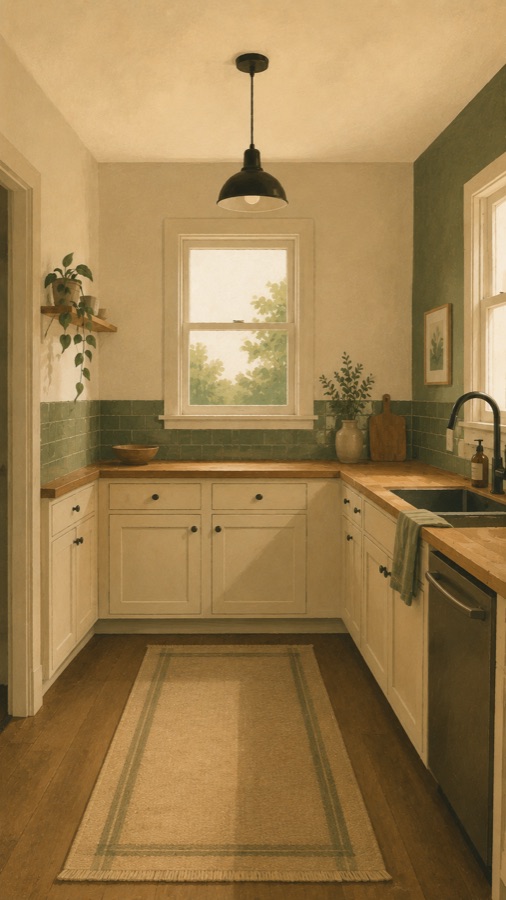
How it works
- Start a project per view: the kitchen from the doorway, the bathroom from the hall, the garden from the back step.
- Each time you capture, a faint overlay of your last photo shows through, so the window, the ceiling line and the doorframe sit exactly where they did.
- Set the reminder to the pace of the work: daily while trades are on site, weekly for a garden or a job that lives on weekends. Change it from the project as the pace changes.
- Capture the messy middle. Demolition, first fix, plaster, paint; the playback needs those frames for the finish to land.
- Compile the series into a timelapse and scrub through it to find the week the room turned a corner.
- Share the before and after with the people who lived through it, and the ones who keep asking how it went.
Why the overlay matters
Rooms change shape during a renovation, which is exactly why hand-held progress photos never line up. The overlay pins the fixed points, a window, a corner, a threshold, so walls can come down and go up while the frame stays put.
Questions
What if the room changes so much I lose my reference?
Pick fixed points that survive the job: a window, an external corner, the doorway you stand in. The overlay shows your last frame, not your first, so gradual change stays easy to match, and you can adjust how strongly it shows through.
Daily or weekly?
Match the pace of the work. Daily during demolition and first fix, when a lot changes at once; weekly for a garden bed or a weekend project. You can capture between reminders whenever something worth keeping happens.
Does it work outdoors, for gardens and builds?
Yes. Stand on the same slab or step and line the fence or the roofline up with the overlay. Seasons and weather show up in the playback, which for a garden is the point.
Where are my photos kept?
On your device. They stay there unless you turn on cloud backup with Pro. You can export or delete them at any time.
Free to start. Recaptr Pro adds cloud backup, 1080p exports, and no watermark.